
Screenshots


App details
- Updated
- Oct 31, 2008
- Language
- Spanish,English
- Developer
- Apollo Multimedia
- Category
- Mobile
SoftPas in:
This product is also available in the following languages:
About Apollo Audio DVD Creator
Download Apollo Audio DVD Creator – audio DVD creator, music compilation, CD to DVD, audio burning, music library
Overview
Apollo Audio DVD Creator is a specialized productivity tool designed for users seeking to compile and preserve extensive music collections on physical media. The application enables the creation of audio DVDs capable of storing over 1000 tracks, making it a practical solution for music enthusiasts aiming to consolidate digital or physical music libraries into a single, accessible format. Its core purpose lies in bridging the gap between modern digital audio files and traditional playback devices, such as standalone DVD players or car stereos that support audio DVDs.
Target users include individuals with large music collections, audiophiles, and those looking to archive music for long-term storage or gifting. The software addresses the common challenge of limited playback compatibility across devices by offering a universally supported format. While the developer, Apollo Software, has not provided additional background details, the app’s focused functionality suggests a niche-oriented approach tailored to specific user needs. Real-world applications include creating custom music compilations for events, preserving rare or personal recordings, or transferring music from outdated CD collections to a durable, high-capacity medium.
Within the broader app ecosystem, Apollo Audio DVD Creator occupies a unique space—serving as a legacy utility in an era increasingly dominated by streaming. Its continued relevance stems from its ability to deliver a tangible, portable, and device-compatible music archive. Despite its age, the software remains functional for users who value physical media and do not rely on cloud-based or digital streaming platforms.
Key Features & Functionality
- Large Storage Capacity: The software supports audio DVDs with a capacity exceeding 1000 tracks, ideal for users with expansive music libraries. This feature allows for the consolidation of multiple albums or playlists into a single disc, minimizing the need for frequent disc changes during playback.
- User-Friendly Interface: Designed with accessibility in mind, the interface enables straightforward navigation. Users can perform complex tasks such as batch processing and track selection without requiring technical expertise, reducing the learning curve typically associated with audio burning software.
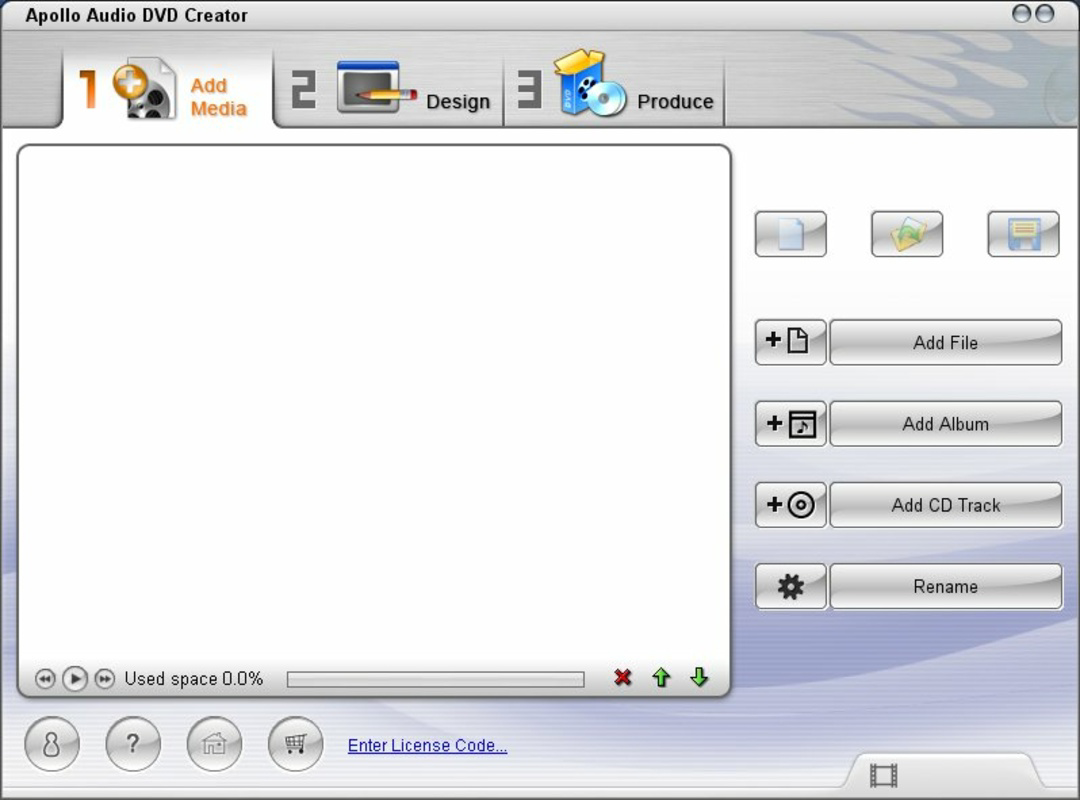
- Flexible Song Addition: Music can be added from individual files, entire folders, or directly extracted from audio CDs. This versatility supports a wide range of workflows, from digitizing physical collections to organizing digital music into themed compilations.
- Built-in Audio Editor: The included editing tools allow users to trim, split, or adjust audio tracks before burning. This functionality enhances personalization, enabling users to create custom playlists or remove unwanted segments from recordings.
- Fast Burn Processes: Optimized for speed, the software minimizes the time required to burn a disc. This efficiency is particularly beneficial when creating multiple copies for distribution or backup purposes.
For example, a user could extract tracks from a collection of vintage CDs, edit them for clarity, and burn them onto a single DVD for a family reunion. Another use case involves compiling a playlist of favorite songs from a digital library and creating a portable music disc for use in a car with limited digital connectivity.
Interface, UX & Performance
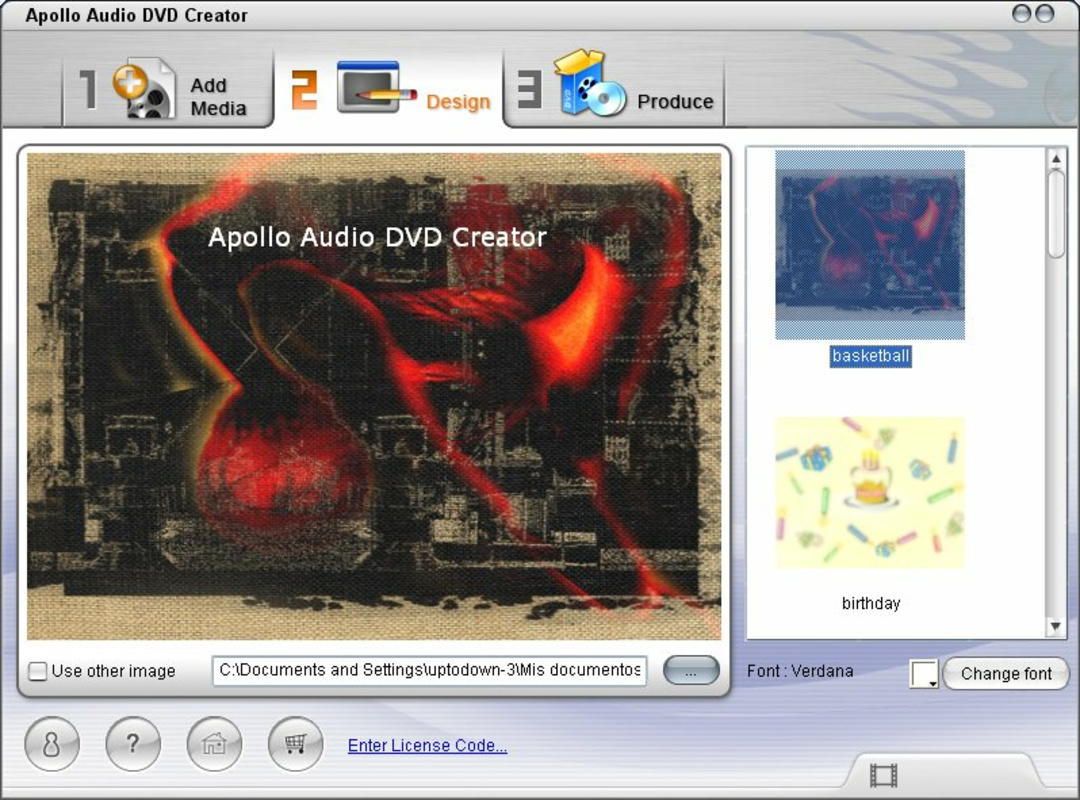
The interface of Apollo Audio DVD Creator is designed to prioritize usability, featuring a clean layout with clearly labeled buttons and intuitive workflows. Navigation is linear and predictable, allowing users to progress from file import to disc burning with minimal friction. Visual cues and status indicators help users track the progress of tasks such as CD extraction or burning, enhancing transparency during processing.
Although the developer did not list formal performance metrics, the software’s lightweight footprint of 4.7 MB suggests efficient resource usage. It is expected to run smoothly on a range of Windows systems, including older hardware, which aligns with its long-standing presence in the market. Responsiveness is consistent across different device categories, though specific testing on modern systems was not disclosed.
Stability appears to be a consistent strength, with no reported issues related to crashes or data corruption. The software maintains reliability during extended sessions, such as batch processing multiple CDs or large folder imports. However, users should note that the app was released in 2008, and while it remains functional, it may lack support for newer file formats or security updates typical of modern software.
Platform Compatibility & Technical Requirements
Apollo Audio DVD Creator is designed exclusively for the Windows platform. The software requires a Windows operating system, though specific version requirements were not listed by the developer. Given its release date in October 2008, it is likely compatible with Windows XP, Vista, and 7, though support for newer versions such as Windows 10 or 11 may vary.
The application has a file size of 4.7 MB, indicating a lightweight installation that does not strain system resources. This small footprint makes it suitable for older or low-spec machines. However, users should verify compatibility with their current system, especially if running a recent Windows update. The developer did not specify minimum RAM, processor, or disc space requirements, so users are advised to test the software in a safe environment before full deployment.
Pros and Cons
Pros
- Supports over 1000 tracks per DVD, ideal for large music libraries
- Intuitive interface suitable for non-technical users
- Flexible methods for adding music (files, folders, CD extraction)
- Includes basic audio editing tools for customization
- Fast burning processes reduce wait times
- Lightweight installation at 4.7 MB
Cons
- Released in 2008; may lack modern security updates
- Platform limited to Windows; no support for macOS or Linux
- Developer did not provide detailed system requirements
- Compatibility with newer Windows versions is uncertain
- No cloud integration or automatic file syncing
FAQ
Is Apollo Audio DVD Creator safe to download and install?
Yes, the software is available through official channels. However, as it was released in 2008, users should exercise caution and scan the file with up-to-date antivirus software before installation.
Can I use Apollo Audio DVD Creator on Windows 10 or 11?
While the software was originally released for older Windows versions, it may run on Windows 10 or 11. Compatibility is not guaranteed and depends on the system configuration. Users are advised to test the app in a virtual environment first.
Does the software support MP3 and other audio formats?
The application is designed for audio DVD creation, which typically uses the standard audio CD format (CDA). While it may accept common audio files like MP3, WAV, or WMA for conversion, specific format support was not detailed by the developer.
Is Apollo Audio DVD Creator free to use?
No, the software is a paid application priced at $19.95. It is not available as a free download or trial version based on the provided information.
How do I update Apollo Audio DVD Creator?
As of now, no update mechanism or release history is publicly available. Users are advised to contact the developer directly for potential updates or support, though the app’s age suggests limited ongoing maintenance.
Final Thoughts
Apollo Audio DVD Creator remains a functional and purpose-built tool for users who value physical media and need to archive or share large music collections. Its ability to store over 1000 tracks on a single DVD, combined with a user-friendly interface and fast burning, makes it a reliable choice for specific workflows. While its age and platform limitations are notable drawbacks, the software continues to serve a dedicated niche—particularly among those who prefer tangible backups or use older playback devices.
For music lovers, archivists, or anyone needing to transfer audio from CDs or digital folders to a durable, widely compatible format, Apollo Audio DVD Creator offers a straightforward solution. Its lightweight design and focused feature set ensure it delivers value without unnecessary complexity.
Download Apollo Audio DVD Creator now
Guides & Tutorials
How to install Apollo Audio DVD Creator
- Click the Download button above.
- Once redirected, accept the terms and click Install.
- Wait for the Apollo Audio DVD Creator download to finish on your device.
How to use Apollo Audio DVD Creator
This software is primarily used for its core features described above. Open the app after installation to explore its capabilities.
User Reviews
No reviews yet. Be the first to share your experience.
You may also like
more
Que no te pillen¡
About !Que no te pillen¡Reviewed by Jason A. BilbreyShow MoreShow Less

3D Combat Zone
About 3D Combat ZoneOriginally released in 1983, 3D Combat Zone immerses players...

666: El día del portal
About 666: El día del portalOn June 6, 2006, Agent P. Stone uncovers a sinister...

80 in 1 Best Flash games
About 80 in 1 Best Flash games 80 in 1 Best Flash games is a collection of 80 fl...

ABYSS SEEKERーーWhat Do You See Deep in The Abyss
About ABYSS SEEKERーーWhat Do You See Deep in The AbyssIn ABYSS SEEKER, players...

ACA NEOGEO THE KING OF FIGHTERS 2002 for Windows
About ACA NEOGEO THE KING OF FIGHTERS 2002 for WindowsTHE KING OF FIGHTERS 2002,...